
Quick Notes
Click New and type. Notes save as you write, pin to the top, and Cmd+F searches all of them.
A notch app with four tools: notes, clipboard history, a file shelf and music controls. Hover the notch and they are there.
No subscription Refund within 14 days Notarized
Instead of one small app for notes, another for clipboard history and another for parking files, all four live in the notch. That is the whole app.
Click New and type. Notes save as you write, pin to the top, and Cmd+F searches all of them.
Everything you copy, kept in a list. Click an item to copy it again. Password manager copies are never saved.
Drag a file to the notch to park it. Drag it back out when you need it, into any app.
Open Peninsula from anywhere, then search with Cmd+F and save a note with Cmd+Return. You can change the two open shortcuts.
Album art, play and pause, skip and scrub, right next to the notch.
Check a note or grab something you copied without leaving the app you are working in. Peninsula opens when you want it and closes when you move on.
Rest the pointer on the notch and it opens.
Drag down on the notch to stretch it open.
Swipe sideways to move between Notes, Clipboard and Shelf.
Drag any file toward the notch and the shelf opens for it.
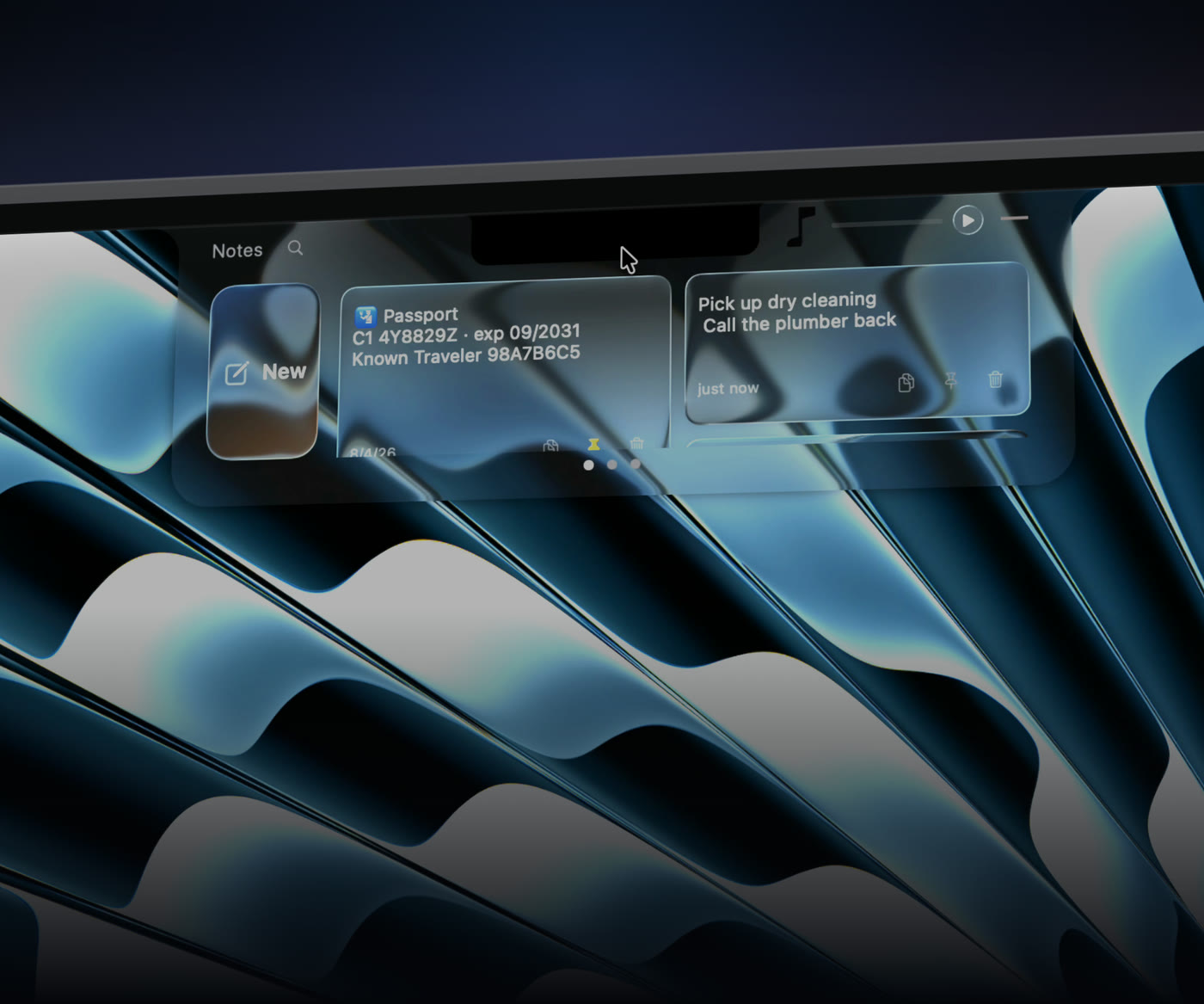
On macOS 26 Peninsula uses Apple's Liquid Glass. On Sonoma and Sequoia it has its own light and dark glass themes.
Some free notch apps are very good, and a few do far more than Peninsula. If you want dozens of widgets, one of those will suit you better. Peninsula is for people who want four things done well and nothing else in the way.
It is notarized by Apple, keeps everything on your Mac, and never asks for an account. When something is wrong, you email the person who made it. It is $9.99 once. If it is not for you, email within 14 days and you get your money back.
Pay once and it is yours, updates included.
Secure checkout by Lemon Squeezy. Your license key arrives by email.
Your money back within 14 days. If Peninsula is not for you, email us and we refund you in full.
Requires a MacBook with a notch (MacBook Pro 2021 or later, MacBook Air 2022 or later) and macOS 14 Sonoma or later.
“Really pretty app, and does just what I need it to do. Looks seamless with the new liquid glass”
“I don’t have to search for random numbers anymore in the notes app, it’s all right up there”
“It looks amazing and has just the right amount of features. Not too bloated!”
From people who tested Peninsula before launch and know the developer.
Something else? Email support@getpeninsula.com.
No. Peninsula costs $9.99, paid once. If it is not for you, email us within 14 days for a full refund.
No. You pay once and keep it, including future updates.
You need a MacBook with a notch: MacBook Pro 14" or 16" (2021 or later) or MacBook Air 13" or 15" (2022 or later), running macOS 14 Sonoma or later.
Each license activates on two Macs, for example a personal and a work machine.
On your Mac, in Peninsula's folder inside your user Library. There is no account and no cloud sync.
Very little. Peninsula checks your license with Lemon Squeezy and checks for updates. If it ever crashes, it offers to send a crash report, and sends it only if you say yes. There are no analytics in the app. Your notes, clipboard history and files never leave your Mac. The privacy page lists every request.
No. There is no account and no cloud, so each Mac keeps its own notes, clipboard history and shelf.
The last 200 things you copied. Copies from password managers are never saved: they mark their copies as private, and Peninsula skips anything marked that way. You can clear the list at any time.
Apple Music, Spotify and most apps that show in macOS Now Playing.
No. Peninsula sits quietly until you hover the notch, and it is light enough that you will not notice it.
Peninsula checks for updates itself and installs them when you say so. Updates are free.
Yes. Email support@getpeninsula.com within 14 days for a full refund. See the terms.
Some free notch apps are very good, and a few do far more than Peninsula. Peninsula is for people who want four things done well. It is notarized by Apple, keeps everything on your Mac and never asks for an account, and support email goes to the person who made it. The comparison page has the details.
Siddharth Karia, an independent developer. There is more on the about page, and every release is on the changelog.